
Using the app
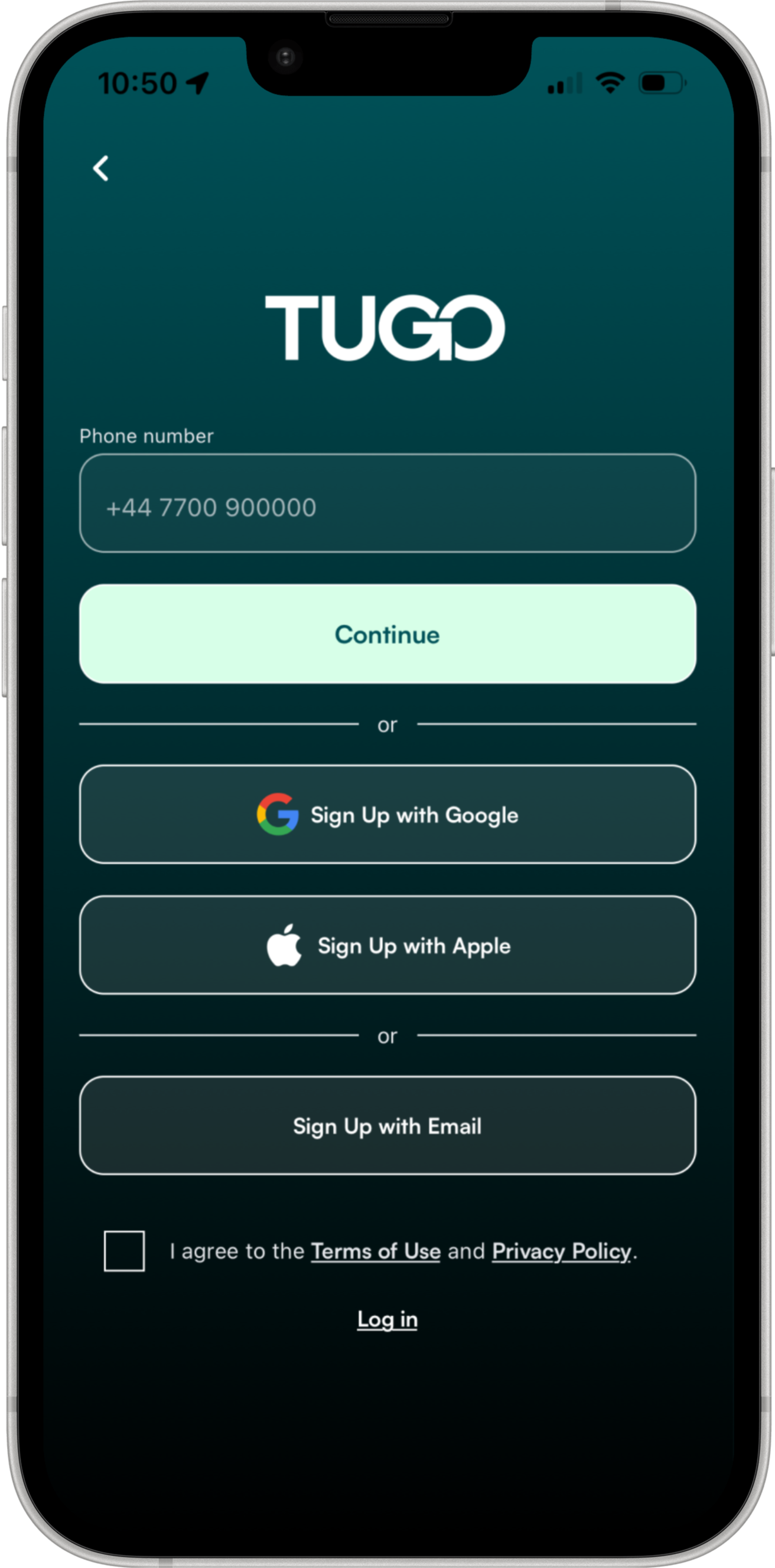
01. Signing Up
__
You can create a Tugo account in four ways, whichever suits you best. You'll agree to our Terms of Use and Privacy Policy before continuing.
▸ Phone number, with a one-time code sent by SMS
▸ Sign up with Google
▸ Sign up with Apple
▸ Sign up with an email address and password

The map
2.1 What you see on the map
__
The map is where most of your time in Tugo starts. Each pin shows live status where the operator supports it, with available options in Tugo's teal and busy or offline in muted grey.
▸ Public EV chargers, marked with a lightning bolt
▸ Private Co-charger hosts, marked with a home
▸ Micromobility (bikes, e-bikes and scooters), marked with a bike
▸ Parking, marked with a P
__
2.2 Private charging with Co-charger
Alongside public chargers, Tugo shows homes that host their own charger through Co-charger. These are often cheaper than the public network, and are people, not networks, so booking usually starts with a message.
▸ Distinct home icon, easy to spot on residential streets
▸ Message the host to agree a time
▸ Booking and payment complete in the Co-charger app
2.3 Selecting a charger
__
Tap any pin to open its detail card. At a glance, the card tells you everything you need to make a decision.
▸ Location, operator and address
▸ Live availability, connector type and kW output
▸ Price per kWh and rapid DC support
▸ Minutes added to your route when planning
▸ Add as a stop, favourite, or continue to session
__
2.4 Micromobility
Tap a micromobility pin to see what's available at that dock. Especially useful for last-leg journeys where you might park the car and pick up a bike.
▸ Live count of bikes, scooters and e-bikes
▸ Operator name and location
▸ Journey impact if you're planning a route
2.5 Filtering the map
__
Narrow the map to just what matters to you. Along the right edge, quick toggles let you show or hide each service type.
▸ "Charge and pay in Tugo" to restrict to in-app payment chargers
▸ Charging speed: Standard, Standard Plus, Rapid, Ultra Rapid
▸ Search for a specific charging operator
▸ Toggle micromobility, Co-charger, chargers and parking
__
2.6 Favourites
Save chargers you use often by tapping the star on a detail card. Find them in your Favourites list, accessed from the search bar. Swipe a favourite left to remove it.
▸ Tap the star on any charger to save it
▸ Access from the star icon in the search bar
▸ Swipe left on any favourite to delete
Planning a journey
3.1 Planning a journey
__
Search for any address, business or landmark. Tugo shows the route, the summary, and lets you choose your vehicle type before you set off.
▸ Destination, with save-as-favourite option
▸ Arrival time, journey time and distance
▸ Choose EV or petrol; sign in for Garage access
▸ Start Journey when ready
04. Turn-by-turn guidance
__
Once you tap Start Journey, Tugo enters the navigation view. Bigger touch targets, clear next-step directions, and a calm layout that stays out of your way.
▸ Next direction with distance and follow-up manoeuvre
▸ Current speed, ETA, time and distance remaining
▸ Add a stop, re-orient, or mute voice guidance
▸ Dark mode for night drives
▸ End journey (red button) to stop cleanly
Navigating
Getting around Tugo
05. The quick menu
__
Move between the different areas of Tugo through the quick menu, tucked behind a small button on the map. It expands when you need it and stays out of the way otherwise.
▸ Map, the main map view
▸ My Profile, for account, Garage, payments and trips
▸ Start Charge, to begin a session (covered in Section 10)
▸ Help & Knowledge, for guides and support

Meet Eleanor
With a vision for building something meaningful, our founder brings a blend of big-picture thinking and hands-on experience. They set the tone for everything we do.

Meet Emmett
Focused, approachable, and driven by results, our sales manager is all about building strong relationships. They help connect people to the right solutions—with clarity and care.
What Sets Us Apart
People-First Approach
Everything we do is built around understanding your needs and helping you succeed—because when you thrive, so do we.
Long-Term Relationships
We’re not just here for the now. We love creating lasting relationships with our clients and growing with them over time.
Proven Process, Flexible Execution
We bring structure where it counts and adaptability where it matters. Our methods are clear, but always responsive.